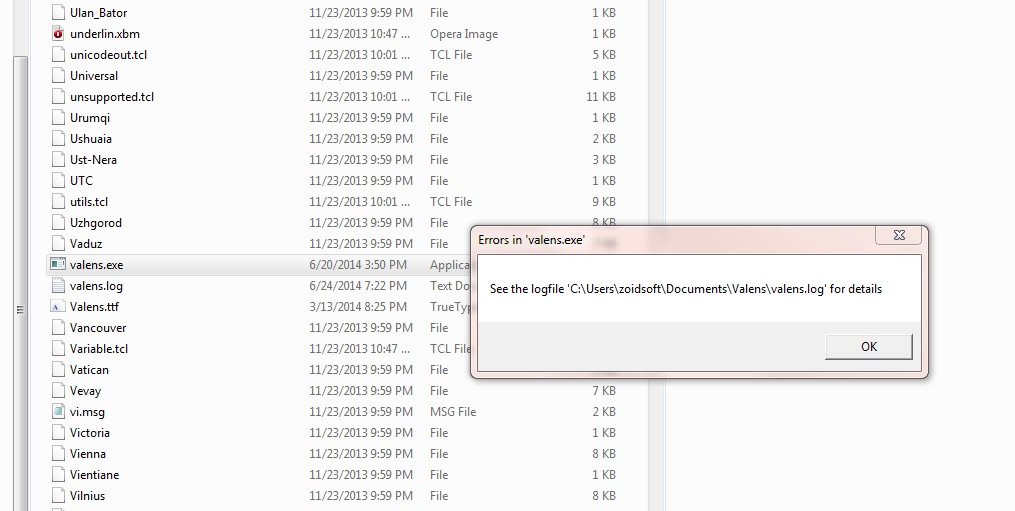
Valens program - Python in Windows
Posted: Wed May 14, 2014 12:01 pm
Hello
Does anyone know how to get the program "Valens" to run under Window (I have Windows 7, 64 bits). It looks really useful, especially for starting to use Hellenistic techniques (before perhaps going on the Delphic Oracle), it's by Rob the creator of Morinus: https://sites.google.com/site/astrovalens/
I've done all as set out below in the instructions, and it looks to be successfully installed. But when I try to start the program (last step) I just get a black command screen that appears in a flash and then disappears.
I've put both Python 3.4 for Windows and Valens are directly on my C hard drive (like Morinus, but that's binary, this is source, a bit of a mystery to me), but I've also tried putting Valens into the Python file, doesn't work either.
Many thanks for any help or suggestions. Maybe it's not possible in Windows, Rob says one element (sweapastronomy) has not been built for window, and indeed it is not "pythonised" like the other Valens files, but the rest of his insturctions seem to imply that it can be used under Windows.
Rob's instructions:
"Download valens.zip (see below) and unzip it.
Install python3 and tkinter and the font (Valens/Res/Valens.ttf).
Install font Valens/Res/Valens.ttf. Perhaps double left-click on Valens.ttf and pressing "Install" also works but I usually only copy it to ".fonts" folder in my HOME.
How to start the program (after you installed everything):
1. Right-click on valens.py file and go to "Properties"
2. Find "Permission" and enable Execute (by checking "Allow executing file as program")
3. Start program with double left-click on valens.py file and press "Run"
The first two steps only need to be done once, of course, so next time just do step 3."
Graham
Does anyone know how to get the program "Valens" to run under Window (I have Windows 7, 64 bits). It looks really useful, especially for starting to use Hellenistic techniques (before perhaps going on the Delphic Oracle), it's by Rob the creator of Morinus: https://sites.google.com/site/astrovalens/
I've done all as set out below in the instructions, and it looks to be successfully installed. But when I try to start the program (last step) I just get a black command screen that appears in a flash and then disappears.
I've put both Python 3.4 for Windows and Valens are directly on my C hard drive (like Morinus, but that's binary, this is source, a bit of a mystery to me), but I've also tried putting Valens into the Python file, doesn't work either.
Many thanks for any help or suggestions. Maybe it's not possible in Windows, Rob says one element (sweapastronomy) has not been built for window, and indeed it is not "pythonised" like the other Valens files, but the rest of his insturctions seem to imply that it can be used under Windows.
Rob's instructions:
"Download valens.zip (see below) and unzip it.
Install python3 and tkinter and the font (Valens/Res/Valens.ttf).
Install font Valens/Res/Valens.ttf. Perhaps double left-click on Valens.ttf and pressing "Install" also works but I usually only copy it to ".fonts" folder in my HOME.
How to start the program (after you installed everything):
1. Right-click on valens.py file and go to "Properties"
2. Find "Permission" and enable Execute (by checking "Allow executing file as program")
3. Start program with double left-click on valens.py file and press "Run"
The first two steps only need to be done once, of course, so next time just do step 3."
Graham